.webp)

Witness Signatures in Blueink: Add a Witness Role to eSignature Workflows

Blueink has introduced Witness Signatures, a new feature that allows teams to require a dedicated witness for specific signers directly within the eSignature workflow.
Instead of relying on manual workarounds, separate signing steps, or treating witnesses as regular signers, organizations can now manage witness collection, witness notifications, reminders, intake, and audit trail tracking within a single workflow. Witness information is also captured on the signer’s Certificate of Evidence, helping maintain clearer records of who witnessed the signing.
This helps teams support witness-based signing requirements more efficiently while maintaining clearer signing records, stronger compliance visibility, and a better overall signing experience.
The Problem
Some documents require more than a signature alone. Workflows such as affidavits, healthcare directives, authorization forms, and certain legal or compliance documents may require a witness as part of the signing process.
Without a dedicated witness workflow, teams often have to manually coordinate witness collection or manage the witness outside the main signing process. In many cases, witnesses are simply added as additional signers, which can make signing records less clear and create unnecessary administrative work.
This can lead to:
- incomplete witness information
- unclear participant roles
- inconsistent signing records
- additional manual coordination
- limited visibility into witness activity
Different workflows may also require different witness setups. Some organizations already know who the witness should be before sending, while others need the signer to nominate a witness during signing.
The Update
Blueink now supports Witness Signatures through a dedicated witness role built directly into the signing workflow. Organizations can now:
- require a witness for specific signers
- assign the witness before sending
- allow signers to nominate witnesses during signing
- automatically route the document to the witness after the signer completes their portion
- collect witness information through a dedicated intake step
- send automated witness notifications and reminders
- record witness activity within the audit trail and Certificate of Evidence
Together, these capabilities help organizations reduce manual coordination while improving the accuracy, visibility, and accountability of witness-based signing workflows.
How It Works
Witness Signatures can now be configured directly within Document Templates and Envelope Templates.
Enable Witness Signatures
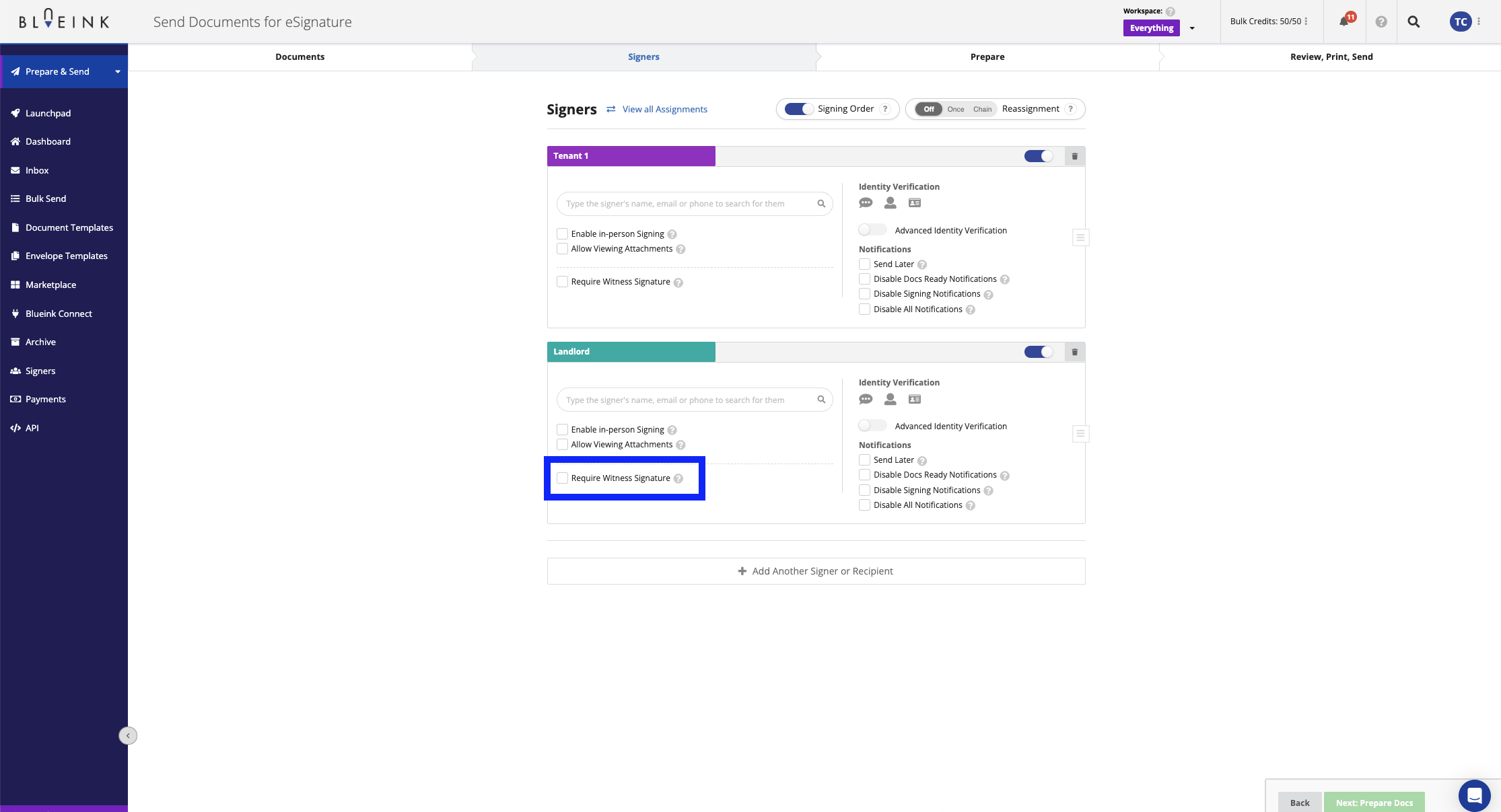
Within the Signers section, teams can enable Require Witness Signature for a specific signer. Additional witness configuration options will then appear within the workflow.
Choose the Witness Method
Organizations can choose between two witness workflows:
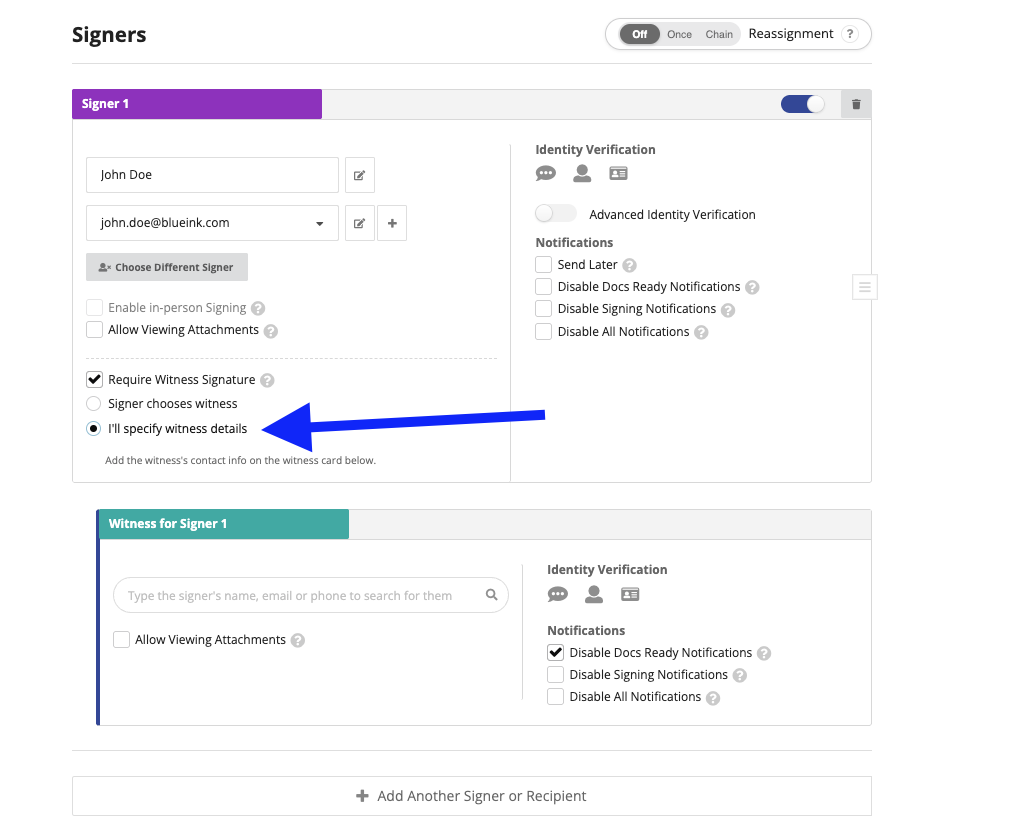
Sender-Specified Witness
The sender enters the witness information before sending the document. This is useful when the witness is already known in advance.
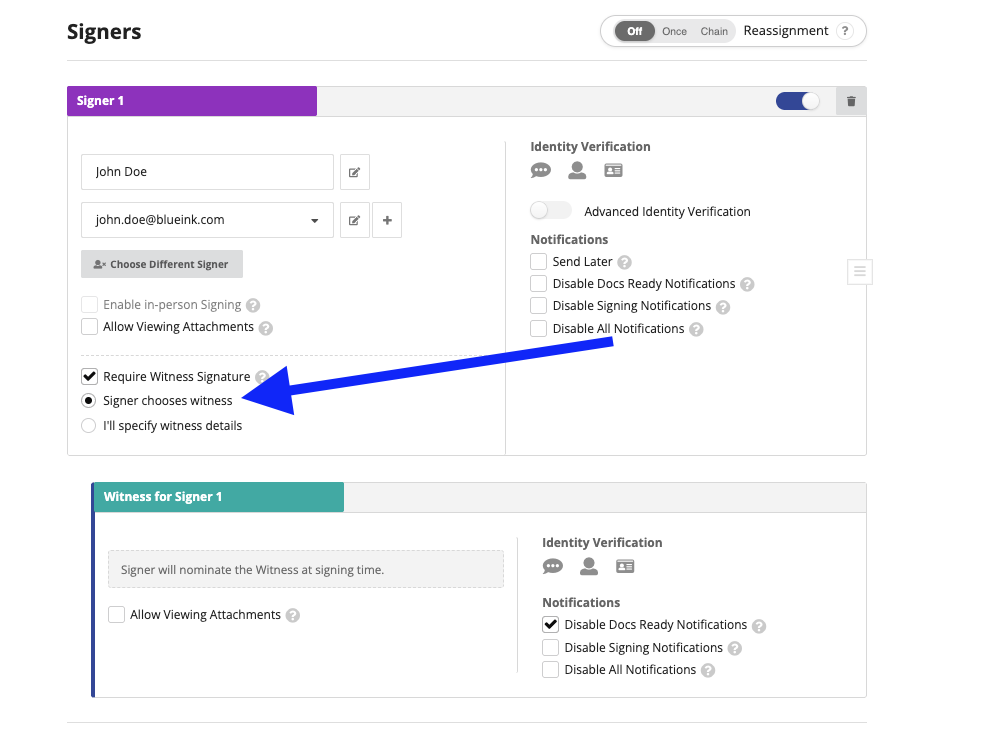
Signer-Nominated Witness
The signer provides the witness details during signing. Blueink then automatically sends the witness invitation after the signer completes their portion of the workflow.
Capture Witness Information
Before signing, witnesses complete a short intake step that captures details such as their name, address, and occupation. These details are included within the Certificate of Evidence to help maintain clearer witness records.
If witness details are updated during intake, the changes are recorded within the envelope history.
Automatic Witness Routing and Notifications
Blueink automatically routes the document to the witness after the signer completes their portion of the signing process. Witness notifications, reminder emails, and signing activity are handled automatically based on the configured workflow.
Assign Witness Signature Fields
Teams can assign witness-specific fields such as signature, initials, and date signed. Witnesses must have at least one assigned field within the document before sending.
Track Witness Activity
Witness actions, notifications, reminders, and signing events are recorded within the audit trail and Certificate of Evidence. Witnesses also appear as a dedicated witness role within the Certificate of Evidence rather than as a standard signer, helping organizations maintain more accurate signing records.
Good to Know
Witness Signatures help organizations simplify workflows that require additional verification or compliance documentation during signing.
The feature includes dedicated witness workflows, automated sequencing, witness intake, reminder notifications, and witness-aware audit trail tracking to help teams maintain more complete and transparent signing records.
For step-by-step instructions, visit the Blueink Help Center.
Not using Blueink yet? Schedule a demo to explore how Blueink can simplify secure and compliant eSignature workflows.