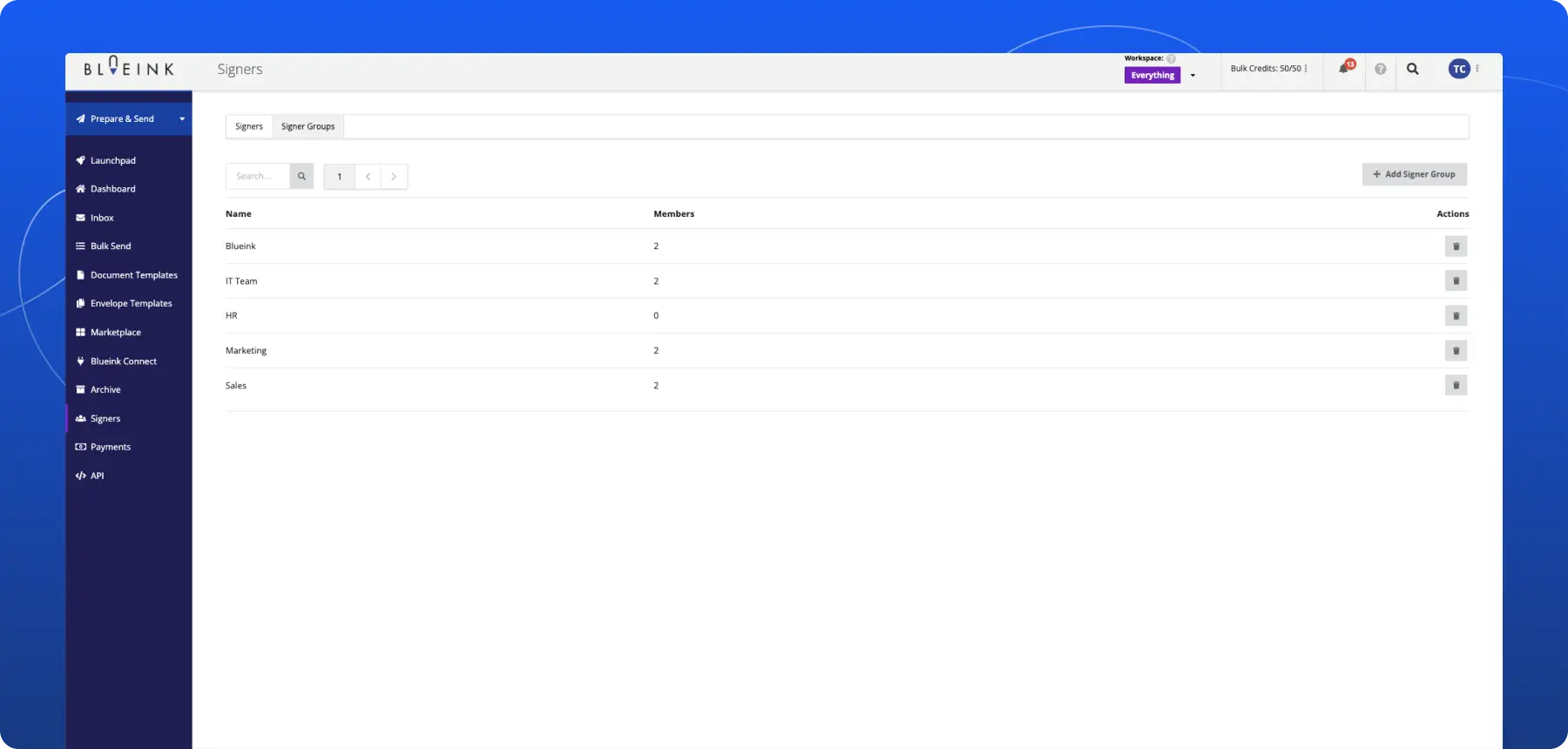

Signer Groups for More Flexible Approval Workflows

Blueink has introduced Signer Groups, a new feature designed to simplify approval workflows where multiple people can fulfill the same signing role.
Instead of assigning a Signer Role to one specific person, teams can now assign multiple eligible signers to the same Signer Role in an Envelope. Any signer in the group can complete the signature for that designated role. This helps organizations reduce approval delays, simplify recurring workflows, and create more flexible signing processes across teams and departments.
The Problem
Many approval workflows do not depend on one specific person. In many organizations, multiple individuals may be authorized to approve the same document type depending on availability, department coverage, or internal responsibilities.
Without signer groups, teams often need to:
- manually choose a signer each time
- resend documents when someone is unavailable
- create duplicate workflows for different approvers
- delay approvals while waiting for one person
This creates unnecessary administrative work and slows down document turnaround times.
The Update
Blueink now supports reusable Signer Groups directly within eSignature workflows. Organizations can create groups of eligible signers and assign a signer role to the group instead of a single person.
When the document is sent:
- all eligible group members are notified.
- the first signer in the group to sign the document satisfies the signing requirement for that group.
- any live signing sessions for other signers in the group are terminated, and any later attempts by other group members to sign the document are blocked.
- the workflow automatically continues once the group signing requirement is completed.
This helps organizations create more flexible approval workflows while reducing bottlenecks caused by signer availability.
How It Works
Signer Groups can now be configured directly within document and envelope workflows.
Create a Signer Group
Teams can create reusable groups containing multiple eligible signers for a shared approval role.
Assign the Group to a Signing Role
Instead of assigning a signer slot to one individual, assign the role to a Signer Group.
Notify Eligible Group Members
When the document is sent, eligible members within the group receive the signing request.
Complete the Role
The first signer in the group to sign the document satisfies the signing requirement for that group.
Any live signing sessions for other signers in the group are terminated, and any later attempts by other group members to sign the document are blocked.
Continue the Workflow Automatically
After one group member signs the document, the signing requirement is satisfied and the envelope automatically moves to the next step in the workflow.
Good to Know
Signer Groups are useful for signing and approval workflows where responsibility may shift between multiple authorized individuals, such as HR approvals, procurement reviews, finance sign-offs, legal reviews, or operational workflows.
By allowing teams to reuse signer groups across workflows, organizations can reduce repetitive setup work while improving flexibility and document turnaround times.
Not using Blueink yet? Schedule a demo to explore how Blueink can simplify approval workflows and document automation.