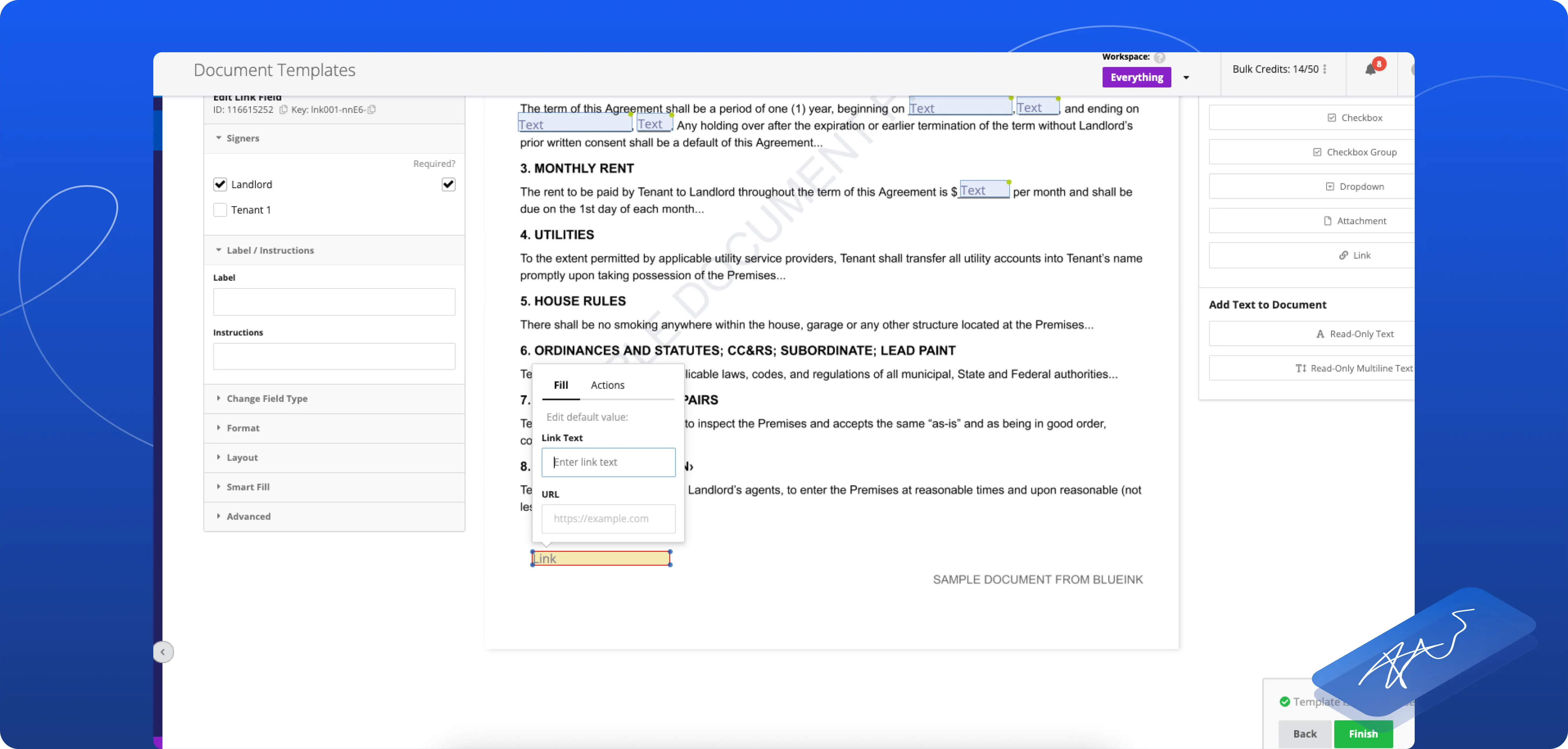

Link Fields for eSignature: Add Clickable References Directly Within Your Documents

Blueink is introducing Link Fields, a new feature designed to allow signers to click live links during the signing process to access relevant information.
With Link Fields, you can add clickable, read-only links directly within your documents, allowing signers to access important resources without leaving the signing session.
What This Feature Solves
In many signing workflows, important context, such as terms, supporting documents, or external resources, is stored outside the document.
This often requires signers to pause the process, search for additional information, or rely on separate communications to fully understand what they are signing.
This extra step can slow down completion times and create unnecessary friction. Link Fields solve this by keeping relevant information accessible within the document itself.
How Link Fields Work
When preparing a document:
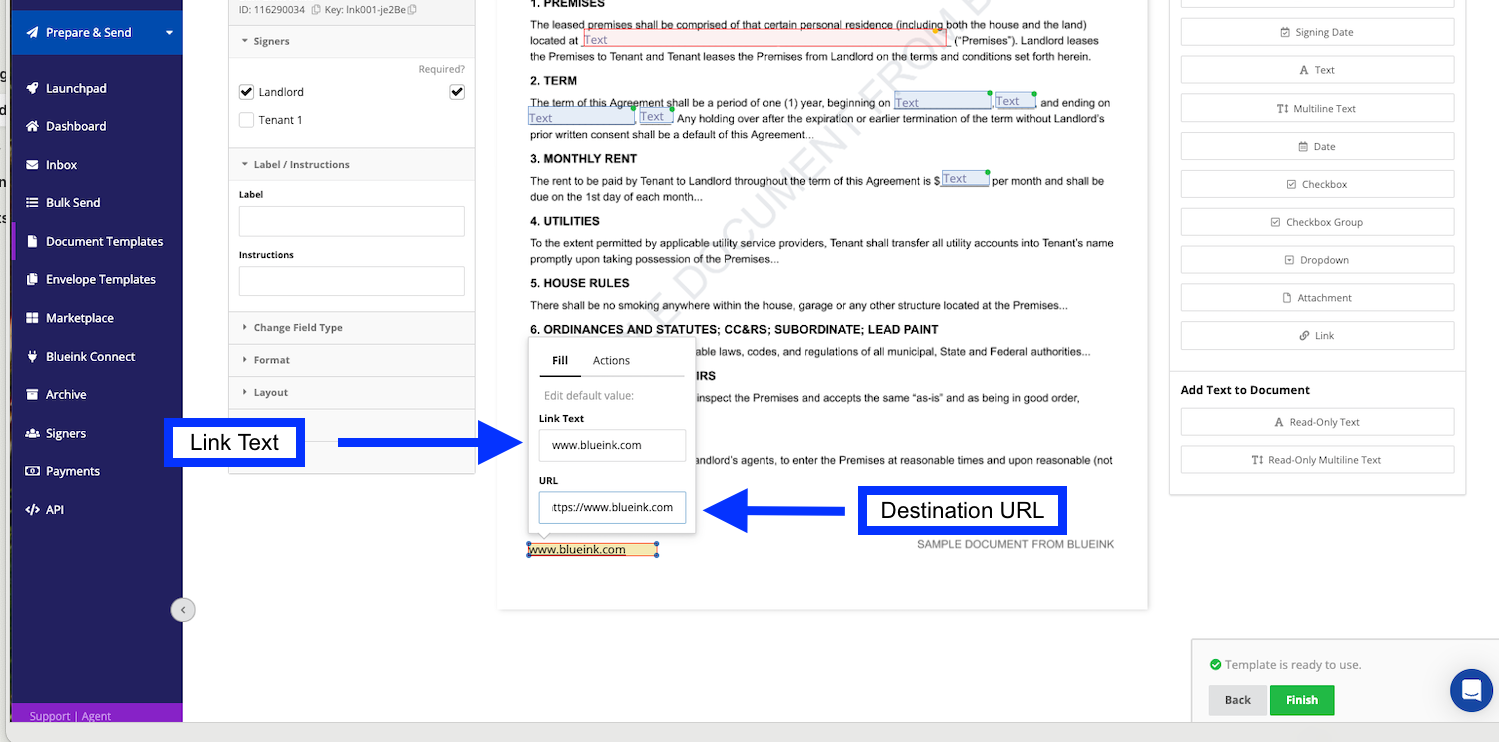
- Add a Link Field to the appropriate section of your document
- Enter the display text for the signer
- Insert the destination URL
During the signing session:
- The signer will see a clickable link within the document
- All links will open in a new window, so the signing session is not interrupted
- The field remains read-only and cannot be edited
This allows signers to access supporting information instantly while continuing the signing process.
Why This Matters
Provide Context Without Interruptions
Give signers access to important information exactly when they need it, without leaving the document.
Improve the Signing Experience
Reducing the need to search for external resources helps keep the process smooth and focused.
Keep Documents Secure and Consistent
Link Fields are read-only, ensuring that links remain accurate and unchanged throughout the signing process.
Ideal for Reference-Heavy Documents
This feature is especially useful for agreements, policies, and forms that include external terms, resources, or supporting materials.
Get Started
Link Fields are now available during document preparation and can be added to any document that requires external references.
For detailed instructions on how to use this feature, check out our step-by-step guide.
If you are not yet using Blueink and would like to explore how our eSignature platform can simplify your document workflows, you can schedule a demo with our team to see the platform in action.