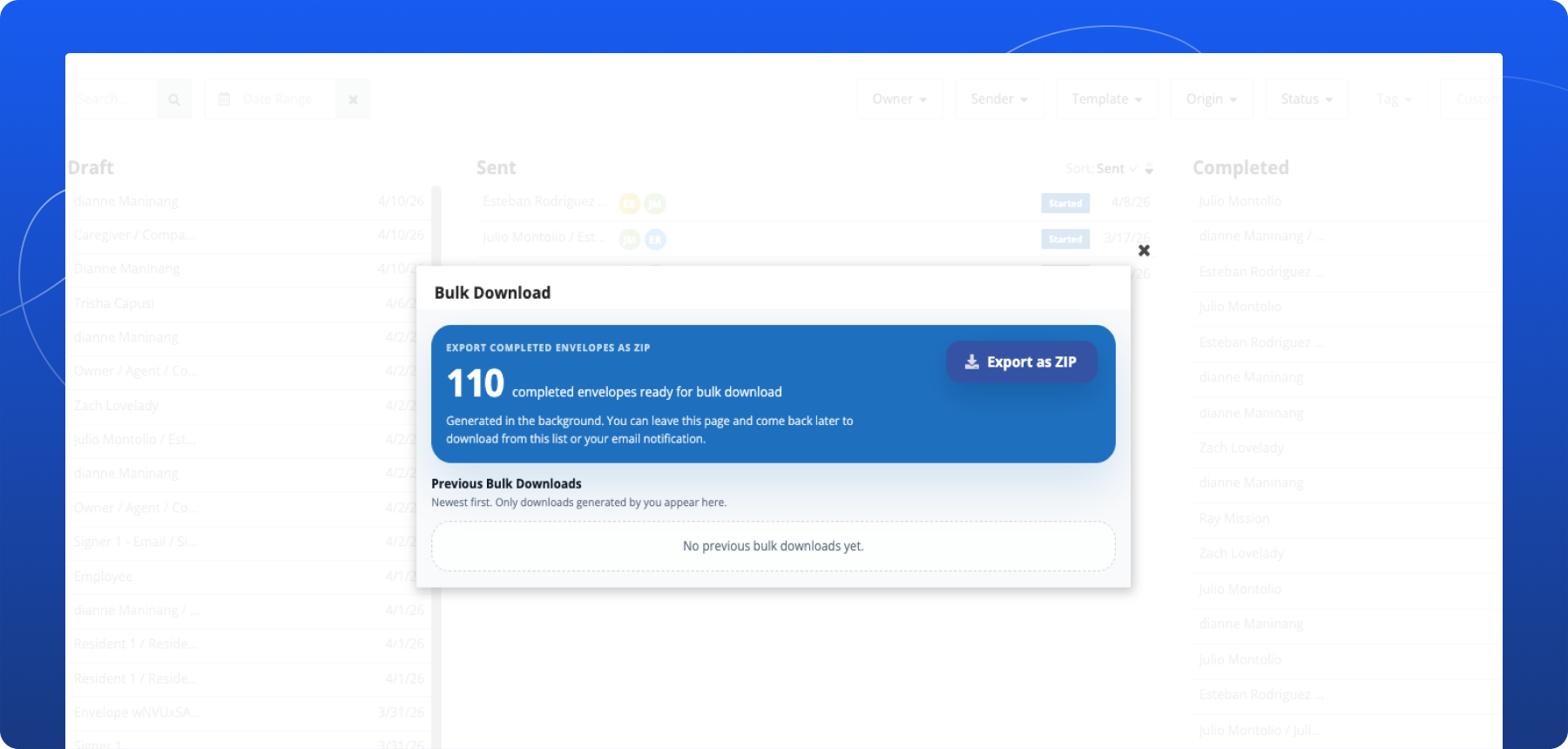

Blueink Bulk Download Envelopes: Export Completed Documents Faster

Summary
Blueink’s new Bulk Download Envelopes feature makes it easier to export multiple completed documents at once. Instead of downloading envelopes one by one, users on Blueink Unlimited and Enterprise plans can now generate a bulk download and receive completed envelopes in a single ZIP file.
The Problem
Downloading completed envelopes individually can be slow and repetitive, especially when you are managing a large volume of signed agreements, archived records, or completed transactions. When teams need to export many documents at once, handling each download separately adds unnecessary time and effort.
The Update
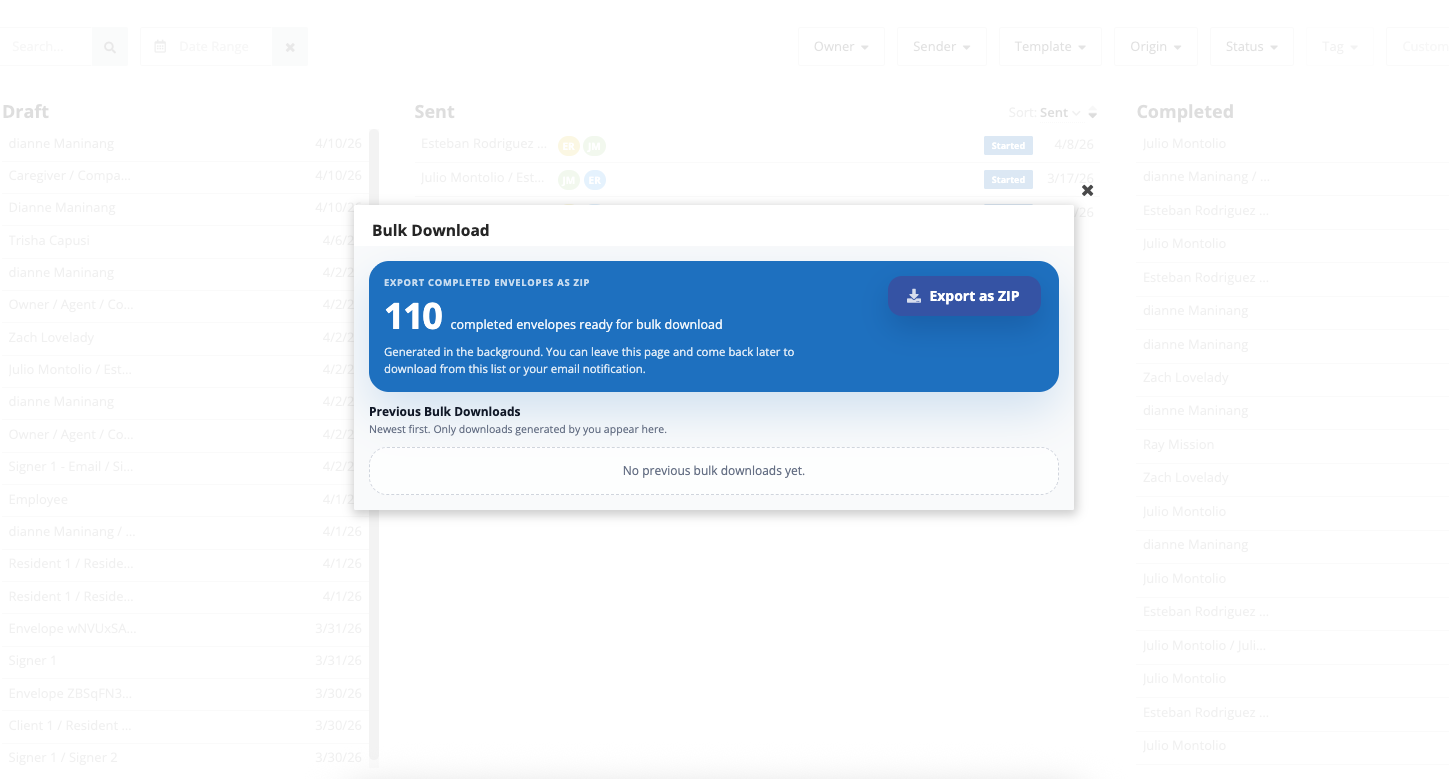
Bulk Download Envelopes gives you a faster way to export completed envelopes in bulk. From the Dashboard or Archive, you can start a bulk download request, and Blueink will prepare the files in the background for delivery as a ZIP file. For larger exports, the download may be split into multiple parts.
How It Works
Using Bulk Download Envelopes is simple:
- Go to the Dashboard or Archive
- Select Bulk Download
- Apply filters to choose the envelopes you want to export
- Start the download request
Once the request is submitted, Blueink processes it in the background. You can then track progress from the bulk download list.
Bulk download works with filters, so you can export only the documents that match your criteria, including:
- Date range
- Sender
- Team
- Other available filters
Only envelopes that match your selected filters will be included in the export.
You can also monitor the status of each request in the bulk download list:
- Processing — your download is being prepared
- Ready — your ZIP file is available to download
- Failed — the download did not complete successfully
If a download fails, you can retry it from the same list.
Good to Know
Bulk Download Envelopes is available on Blueink Unlimited and Enterprise plans.
The feature can be accessed from the Dashboard or Archive, making it easier to export completed envelopes without interrupting your workflow.
For step-by-step instructions, visit the Blueink Help Center.
Not using Blueink yet? Schedule a demo to see how Blueink can simplify your document workflows.