
API Monitoring, Access & Signature Updates in Blueink

What’s New in Blueink: Improved API Monitoring, User Access, and Signature Customization
We have introduced several updates to Blueink that make it easier to manage integrations, control access, and prepare documents to meet professional requirements. These enhancements are focused on clarity, flexibility, and day-to-day usability for both technical and non-technical users.
Here is a quick overview of what is new.
Blue or Black Signature Ink Options
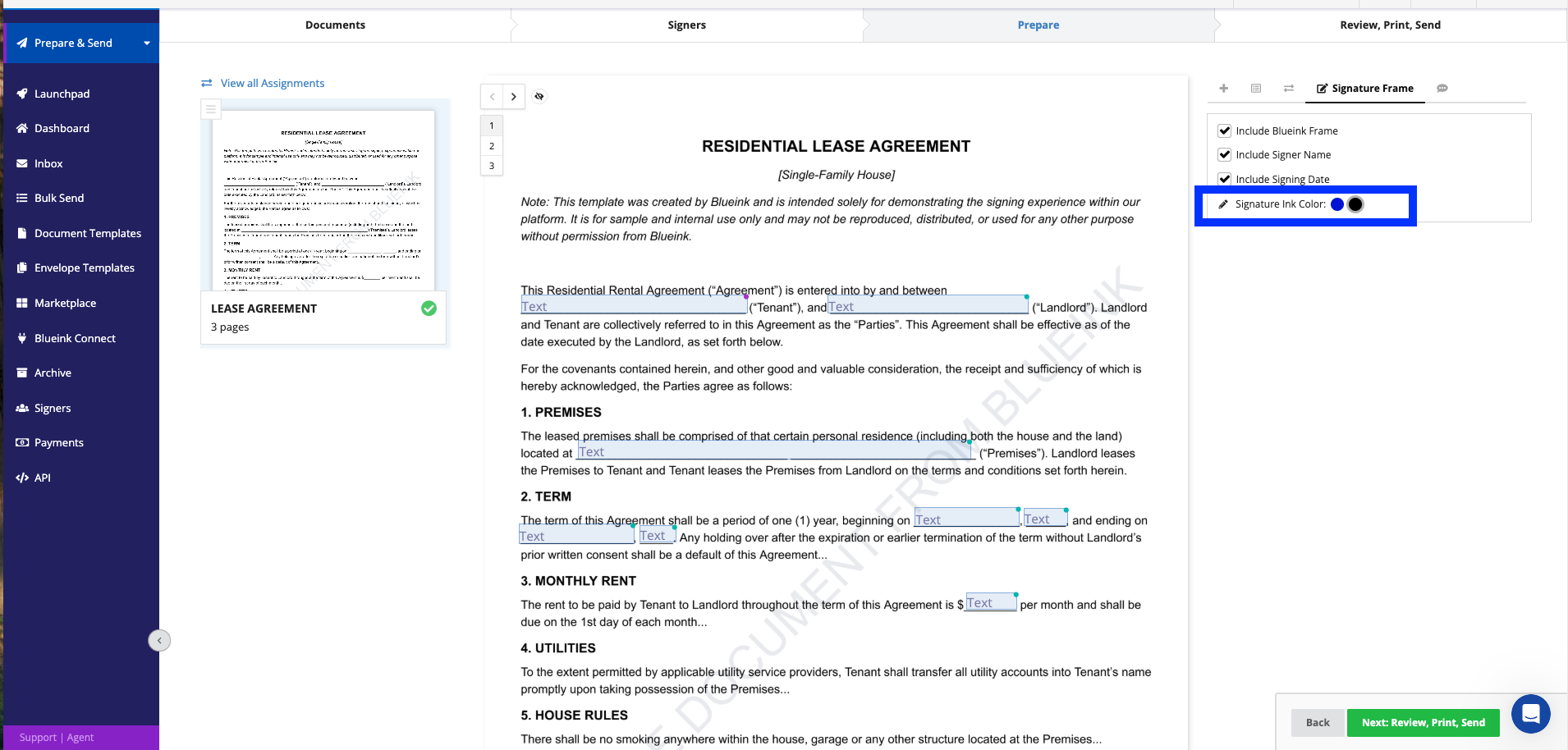
You can now choose between blue or black ink for signatures across all collections, allowing documents to better align with professional, legal, and scanning requirements.
This update gives you the ability to:
- Select the appropriate signature color for each document
- Meet industry or regional documentation standards
- Maintain a consistent and professional document appearance
Signature color can be selected while preparing an envelope, configured in templates, or set as a default in your account settings.
View-Only Users for Read-Only Access
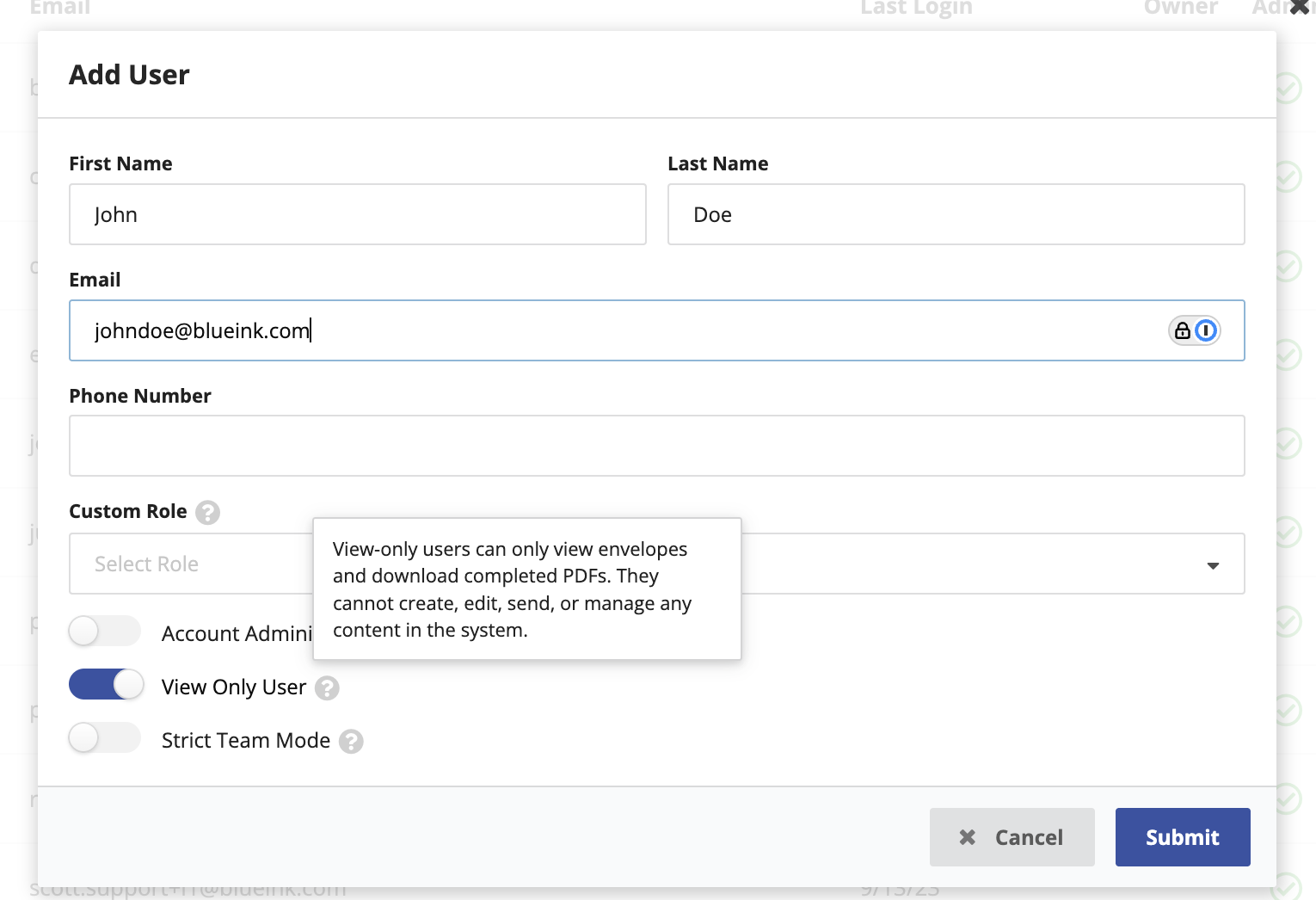
Blueink now supports a View-Only User role, expanding access options beyond Account Administrator and Strict Team Mode.
View-Only Users can:
- View envelopes
- Download completed PDF files
They cannot:
- Create, edit, or send envelopes
- Modify templates or settings
- Manage users or system configurations
This role is ideal for auditors, executives, legal reviewers, or internal stakeholders who need access to completed documents without the ability to make changes.
API Dashboard Now Shows Recent API Requests
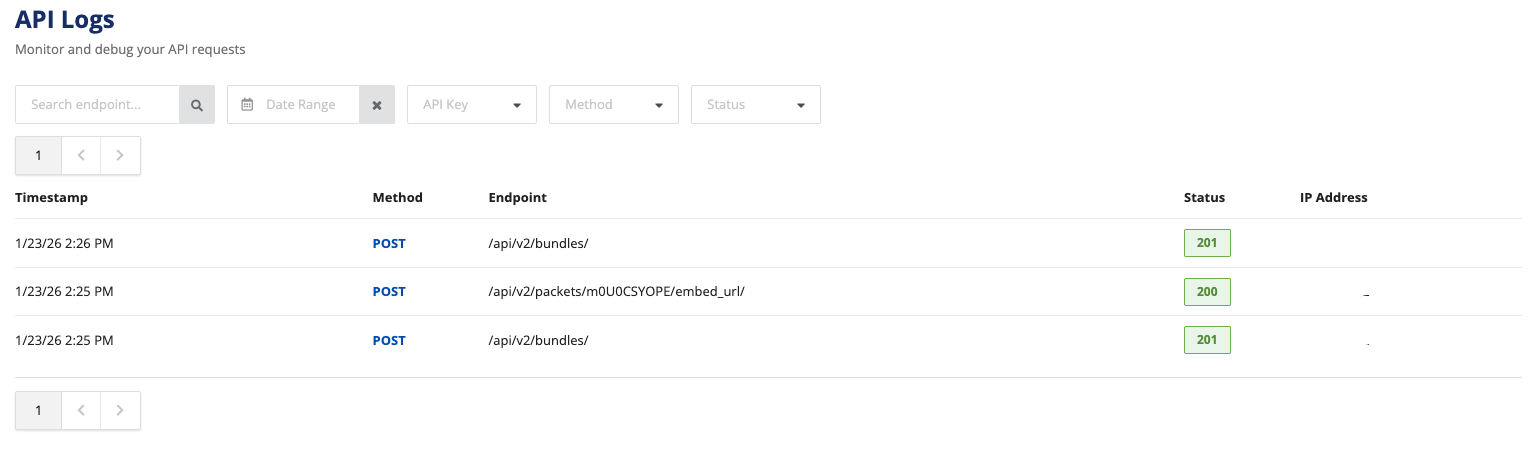
The Blueink API Dashboard now displays recent API requests, giving developers and technical teams a clearer way to monitor and debug integrations directly within the platform.
Previously, API activity was not visible in the dashboard. With this update, you can now:
- View recent API requests in one place
- Check whether requests were successful or failed
- Review HTTP status codes for faster troubleshooting
- Confirm request timing, endpoints, and IP addresses
This improvement makes it easier to validate API behavior, identify errors quickly, and maintain reliable integrations without relying solely on external logging tools.
Getting Started
All updates are now available in your Blueink account:
- API request logs are accessible from the API section of the dashboard
- View-Only Users can be assigned through user management settings
- Signature color options are available during envelope preparation and in envelope defaults
Log in to your Blueink account to explore these updates today. If you have questions or need help enabling these features, our support team is happy to assist.