

How to File Court Documents with eSignatures?

As courts embrace digital transformation, many legal professionals are discovering the power of electronic signatures (eSignatures) in simplifying document filing. Gone are the days of printing, scanning, and physically delivering stacks of paperwork. With secure eSignature platforms like Blueink, you can prepare, sign, and submit court documents online, saving time, reducing costs, and ensuring compliance with legal standards.
This guide explains how to file court documents using eSignatures, outlines the legal basis behind their use, and offers practical steps to ensure your documents are accepted in court.
Why eSignatures Matter in Legal Filings
Why eSignatures Matter in Legal Filings
Court proceedings involve a wide range of documents, from affidavits and motions to settlement agreements and waivers. Traditionally, these documents required wet-ink signatures and physical filing at the courthouse. However, with the growing shift toward electronic court filing (eFiling) systems, courts now recognize legally binding eSignatures under various national laws.
Using an eSignature solution like Blueink offers several advantages:
- Faster processing: No more printing, scanning, or mailing.
- Reduced costs: Eliminate courier fees, ink, and paper expenses.
- Better accuracy: Avoid missing signatures or misplaced documents.
- Remote collaboration: Clients, attorneys, and witnesses can sign from anywhere.
- Compliance-ready evidence: Every eSignature includes audit trails and identity verification.
Legal Recognition of eSignatures in Court Filings
Before filing court documents electronically, ensure your eSignatures comply with your jurisdiction’s legal framework. Most countries recognize eSignatures through laws modeled after the U.S. ESIGN Act, the UETA (Uniform Electronic Transactions Act), or the EU’s eIDAS Regulation.
Below are common examples of legal frameworks around the world:
- United States: The ESIGN Act (2000) and UETA grant eSignatures the same legal standing as handwritten signatures for most court documents, provided the signer’s intent and consent are clear.
- Philippines: Under the Electronic Commerce Act (RA 8792), eSignatures are legally valid and admissible in court. As long as the signature can be authenticated and linked to the signer, it is recognized as legally binding. Courts in the Philippines are also adopting eFiling systems aligned with the Supreme Court’s 2021 Rules on Electronic Evidence.
- European Union: The eIDAS Regulation establishes a clear framework for electronic identification and trust services. Qualified Electronic Signatures (QES) carry the same legal value as handwritten ones.
- Canada, Australia, Singapore, and others: These countries have similar legislation that supports eSignatures, provided the signer’s identity is verifiable and the document remains tamper-proof.
In short, eSignatures are widely accepted in courts when the platform used meets authentication, consent, and audit requirements.
Are All Court Documents Eligible for eSignature?
Not all documents can be signed electronically. Some may still require wet-ink signatures or notarization, especially when dealing with sensitive legal instruments.
Documents typically eligible for eSignature:
- Pleadings, motions, and petitions
- Settlement agreements and waivers
- Client authorization forms
- Discovery documents
- Service agreements and contracts
Documents that may require physical signatures:
- Wills, codicils, and testamentary trusts
- Court orders or judgments
- Certain affidavits requiring in-person notarization
- Documents explicitly excluded by law in your jurisdiction
Always confirm with the court’s local rules or clerk’s office before filing electronically.
Step-by-Step Guide: Filing Court Documents with eSignatures
Here’s a step-by-step walkthrough to help you securely file court documents with eSignatures using a trusted platform like Blueink.
Step 1: Confirm eFiling and eSignature Acceptance
Before you begin, verify whether the court where you are filing accepts electronically signed documents. Some courts have designated eFiling systems, while others may still require paper submissions.
Check:
- The court’s website for eFiling rules
- The Electronic Evidence or Civil Procedure Rules in your jurisdiction
- Whether the document type is allowed for eSignature filing
Step 2: Choose a Compliant eSignature Platform
Not all eSignature tools meet the security and compliance standards required for legal filings. Select a platform that ensures:
- Legal compliance with ESIGN, UETA, eIDAS, and local laws
- Tamper-proof certificates and detailed audit trails
- Strong signer authentication (e.g., SMS OTP, ID verification, selfie match)
- Secure storage and encryption
- Accessibility and ease of use for clients and opposing counsel
Blueink, for example, provides a Certificate of Evidence, a detailed record of every action taken during signing, ensuring your documents stand up to court scrutiny.
Step 3: Prepare the Document
Upload the court document to your eSignature platform. Ensure that:
- The file is in an accepted format (PDF is recommended)
- All parties who must sign are included
- Each signature field is properly placed and labeled
- You have reviewed the content for accuracy and completeness
In Blueink, you can use Auto Field Detection or drag-and-drop placement to mark where signatures, initials, and dates should appear.
Step 4: Add Signers and Define Roles
Specify who needs to sign or review the document:
- Attorney
- Client or Defendant/Other Party
- Witness
- Opposing counsel (if applicable)
Blueink allows you to assign roles such as Signer, Viewer, or Approver, ensuring proper routing and compliance with court procedures.
Step 5: Set Authentication and Security Levels
Before sending, enable multi-layered identity verification:
- SMS PIN or Email OTP
- ID verification (upload government ID)
- Selfie match (optional for added security)
These measures confirm the signer’s identity and strengthen the document’s legal validity.
Step 6: Send for Signature
Once configured, send the document to all signers. Each signer will receive a secure link via email or SMS. They can open the document, review it, and sign using any device. No account is needed.
Blueink’s Smart Link feature also allows signers to initiate signing through a link embedded on your website or shared via email.
Step 7: Monitor Progress and Completion
Track progress in real time through your dashboard. You will see:
- Which signers have viewed or signed
- Pending signatures
- Completed envelopes ready for download
Once all parties have signed, Blueink automatically generates a Certificate of Evidence detailing timestamps, IP addresses, and verification steps.
Step 8: File the Document with the Court
When all signatures are collected, download the final signed PDF. Ensure it includes:
- All required signatures
- A Certificate of Evidence or equivalent audit trail
- Timestamp and tamper-proof seal
You can then:
- Upload the document via the court’s eFiling portal
- Email it to the court clerk if permitted
- Store a copy in your case management system
Always keep digital and printed backups for your records.
Best Practices for eFiling Court Documents
To ensure your electronically signed documents are accepted and legally valid, follow these best practices:
1. Confirm Court Rules Regularly
Courts may update their eFiling requirements from time to time. Always check the latest local rules, administrative circulars, or court-issued guidelines before submission.
2. Use Secure and Compliant Tools
Select an eSignature platform that complies with data privacy laws such as the Data Privacy Act (DPA) or the GDPR, and aligns with recognized legal frameworks like ESIGN, UETA, or eIDAS.
3. Authenticate Signers Properly
Courts may question validity if identity verification is weak. Use features like ID verification, SMS PINs, and multi-factor authentication to strengthen authenticity.
4. Retain Certificates and Audit Trails
Keep a Certificate of Evidence for every signed document. It serves as proof of authenticity and integrity in case of disputes or audits.
5. Avoid Unauthorized Edits After Signing
Any modification made after signing invalidates the document. Blueink prevents tampering by encrypting every completed document and preserving the audit trail.
6. Coordinate with All Parties
Ensure all signers, including clients, witnesses, and counsel, understand how to sign electronically and access their documents. This minimizes delays and confusion.
7. Keep a Filing Log
Maintain a detailed record of submission dates, acknowledgment receipts, and reference numbers for every electronic filing. This ensures accountability and easy retrieval when needed.
Benefits of Using Blueink for Legal Filings
Blueink’s eSignature platform is designed for legal professionals and organizations that require court-ready, compliant, and secure digital solutions. Below are key ways it supports efficient and legally sound filings:
Legally Binding Signatures
Recognized under ESIGN, UETA, and GDPR, Blueink’s signatures meet the legal standards for admissibility in court.
Certificate of Evidence

Each transaction includes a detailed audit trail that records timestamps, IP addresses, authentication methods, and signer actions. This report provides verifiable proof of signature integrity.
Multi-Layer Authentication
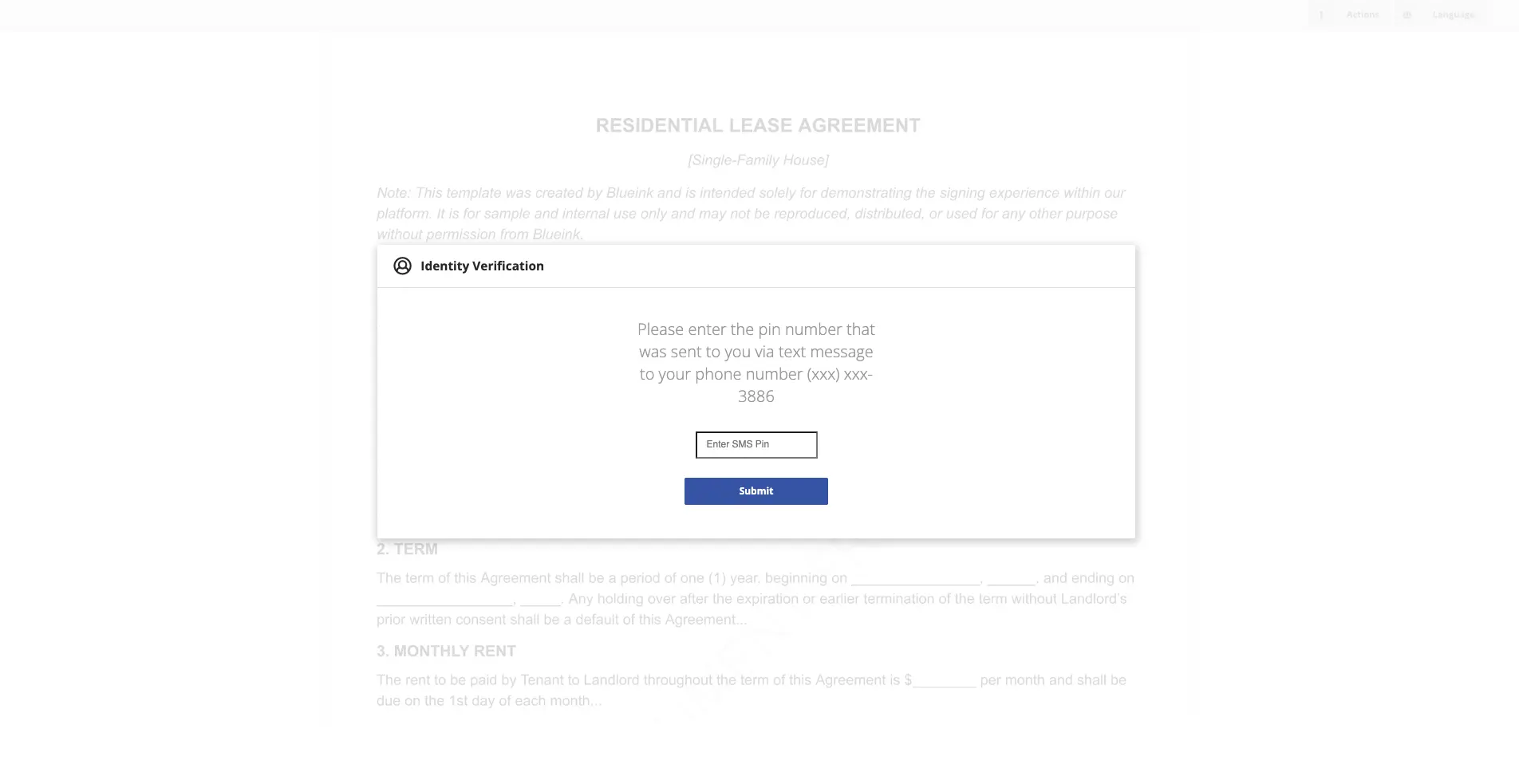
Features like ID verification, selfie match, SMS PIN, and email OTP ensure each signer’s identity is verified and authenticated.
Document Templates
Reusable templates simplify repeat filings, such as standardized affidavits, client authorizations, or settlement agreements.
Bulk Send and Smart Link
Send multiple documents at once or allow clients to initiate signing themselves through secure links. This helps large firms or government agencies manage high document volumes efficiently.
Compliance with Data Privacy Laws
Blueink’s systems adhere to GDPR, and other global standards to safeguard sensitive legal information.
Court-Ready Documents
All completed documents are timestamped, tamper-evident, and stored securely, making them ready for eFiling without additional formatting.
Seamless eFiling Integration
Blueink generates export-ready PDFs and Certificates of Evidence that can be directly uploaded to court eFiling systems.
By adopting Blueink, law firms, government agencies, and corporate legal teams can streamline their document workflows while ensuring every filing meets legal and evidentiary standards.
Frequently Asked Questions (FAQ)
1. Are eSignatures legally valid in court?
Yes. As long as the eSignature meets requirements for identity verification, consent, and integrity under local laws such as ESIGN, UETA, or RA 8792, it is considered legally binding and admissible as evidence.
2. Can I eFile documents that have been signed electronically?
Yes. Most courts that support eFiling accept eSigned documents, provided the platform used complies with legal standards and includes audit trails.
3. What if the court requires notarization?
Some courts now allow eNotarization, which applies a notary’s seal and signature digitally. Check your jurisdiction to confirm if remote online notarization (RON) is accepted.
4. How do I prove an eSignature’s authenticity?
Platforms like Blueink provide a Certificate of Evidence containing logs of IP addresses, timestamps, and authentication steps, serving as irrefutable proof of authenticity.
5. What happens if someone disputes an eSignature?
If challenged, you can present the audit trail, authentication records, and consent logs as evidence of a valid signature. Courts generally accept these records as proof under electronic evidence rules.
Key Takeaways
- eSignatures are legally valid in most jurisdictions and recognized by courts when compliant with relevant laws.
- Always verify the court’s eFiling rules before submitting electronically signed documents.
- Use secure, compliant platforms like Blueink that provide authentication and detailed audit trails.
- Retain all Certificates of Evidence for future reference or court proceedings.
- Digital filing saves time, reduces costs, and eliminates administrative inefficiencies while maintaining legal integrity.
Final Thoughts
The legal industry is rapidly evolving as courts adopt digital systems to enhance efficiency and accessibility. Filing court documents with eSignatures is no longer just a convenience; it is becoming the standard for modern legal practice.
By using a trusted platform like Blueink, legal professionals can ensure their documents are prepared, signed, and filed securely while meeting every compliance and evidentiary requirement. Blueink helps law firms and government offices modernize their workflows without sacrificing accuracy or legal credibility, making justice delivery faster, more secure, and more accessible.
Book a free demo today to see how Blueink can help you streamline court filings, strengthen compliance, and transform your legal document process.
Disclaimer
Blueink is not a law firm and does not provide legal advice. This page is for informational purposes only and should not be considered a substitute for professional legal counsel. If you have questions about the validity or enforceability of eSignatures or digital signatures, we recommend consulting with a licensed attorney. Use of Blueink’s services is subject to our Terms of Use and Privacy Policy.

Recent post
October 16, 2026
October 12, 2026
October 6, 2026