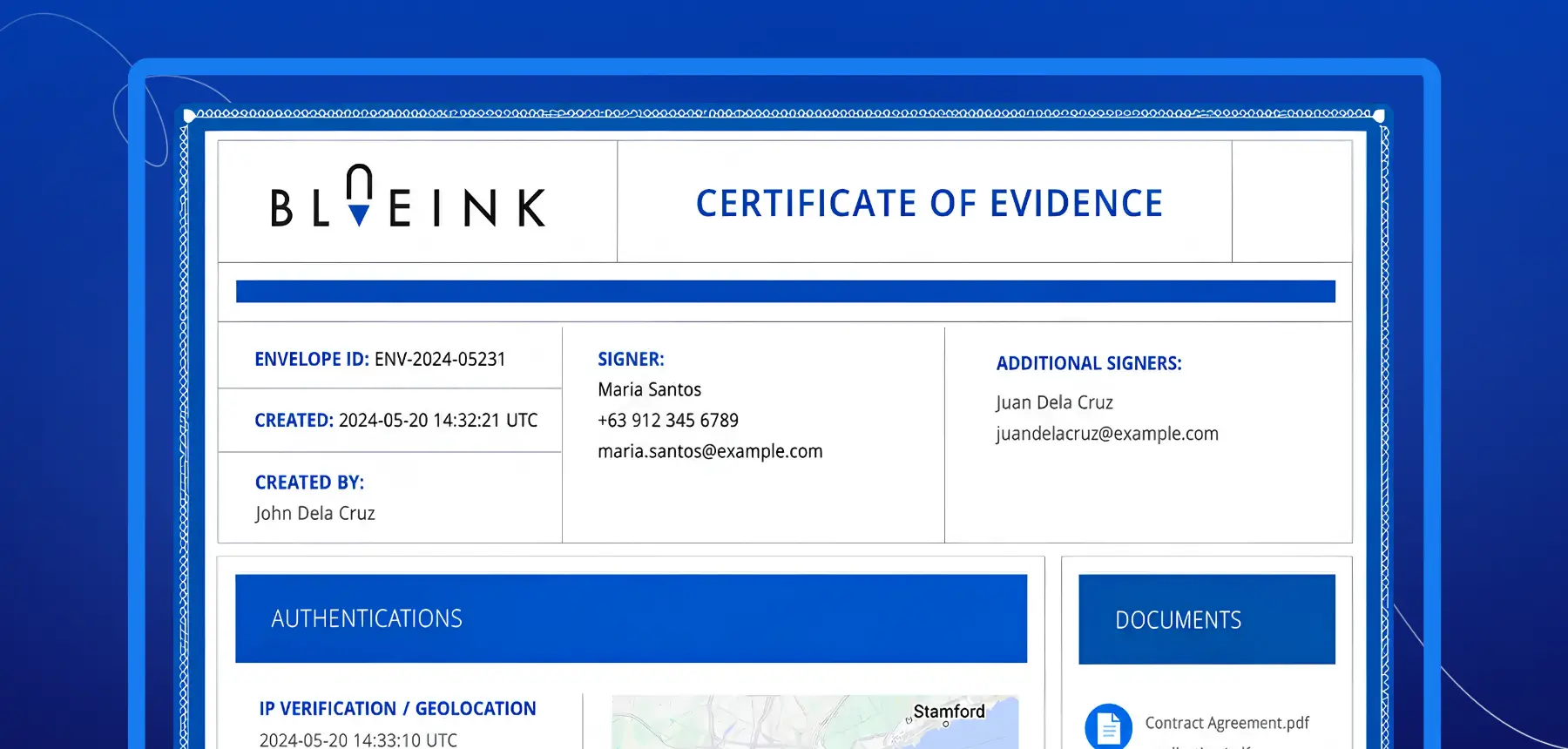

What's Inside a Certificate of Evidence? Key Data Explained

When a vendor disputes a contract, an employee denies receiving a policy, or an auditor requests proof of consent, a Certificate of Evidence is what makes your case. The certificate captures a complete record of every electronic signature transaction, including who signed, when they signed, how they accessed the document, and what steps they completed along the way.
For organizations managing contracts, HR documents, healthcare forms, real estate agreements, compliance records, or client approvals, this layer of documentation supports transparency, recordkeeping, and dispute resolution. It is also the foundation of a reliable eSignature audit trail that teams can reference long after a document is completed.
What Is a Certificate of Evidence?
A Certificate of Evidence is a document generated alongside a completed eSignature transaction. It provides supporting information that shows how the document moved through the signing process.
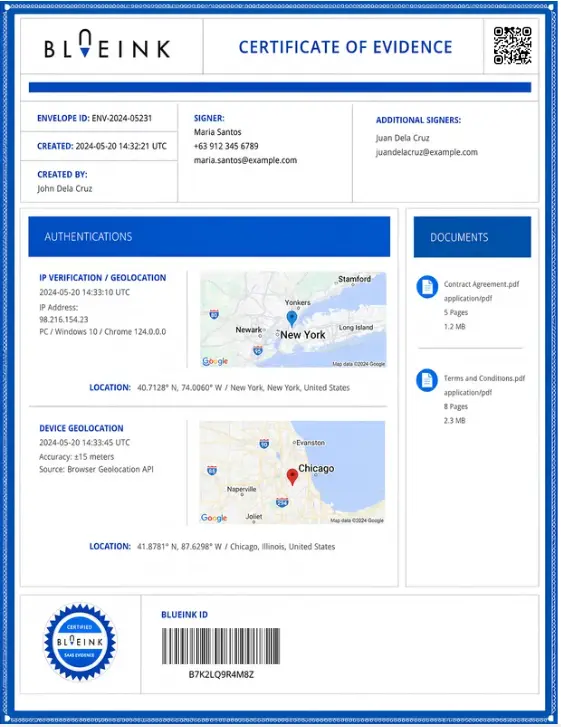
Rather than only confirming that a signature was placed, the certificate records the full activity surrounding it. This includes when the document was sent, when it was opened, when the signer completed required steps, and when it was submitted.
Blueink generates a Certificate of Evidence for every completed transaction, giving organizations a clear, storable record of signing activity that travels with the completed agreement.
Why a Certificate of Evidence Matters
Electronic agreements often need more than a completed signature page. If a question comes up later, teams may need to understand the full signing context.
For example, a business may need to confirm which email address received the signing request, when the signer opened the document, what IP address was used, or whether authentication steps were completed.
A Certificate of Evidence helps preserve this information in one place. This makes it useful for compliance teams, legal teams, HR departments, healthcare organizations, real estate professionals, and any business that needs stronger records for signed documents.
Key Data Included in a Certificate of Evidence
The certificate may include several categories of data depending on the workflow, signer settings, and authentication methods used. Key fields typically include:
- Signer name
- Email address
- IP address
- Timestamp
- Authentication method
- Device information
- Geolocation data, when enabled
- Audit trail events
- Document hash, when available
These details work together to create a more complete electronic signature audit trail.
Signer Identity Information
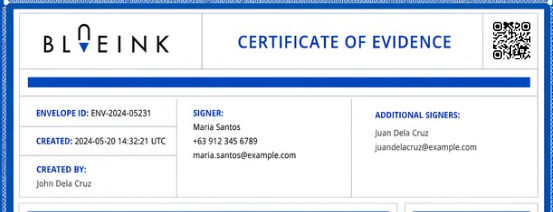
One of the most important parts of a Certificate of Evidence is signer identity information.
This section helps show who participated in the signing transaction. It may include the signer’s name, email address, phone number if collected, and participant role in the workflow.
For example, if a document has multiple signers, the certificate helps distinguish each person’s activity. This is especially useful for agreements involving several parties, such as employment contracts, vendor agreements, real estate documents, or internal approvals.
The goal is not only to show that a document was signed. It is to show who signed it and how their activity was recorded.
Timestamps and Signing History

Timestamps help establish the sequence of events during the signing process.
A Certificate of Evidence can record when the envelope or document was created, when it was sent, when it was opened, when authentication events occurred, when fields were completed, and when the document was submitted.
This timeline can be valuable when organizations need to confirm when an agreement was reviewed or completed. It also helps reduce uncertainty when a document has multiple participants or when timing is important to the transaction.
Instead of relying on email threads or manual records, the Certificate of Evidence creates a chronological signing history tied directly to the completed document.
IP Address and Device Information
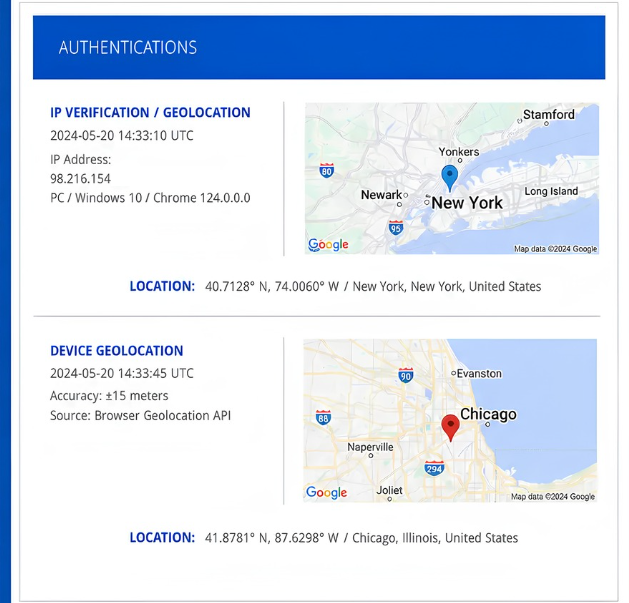
A Certificate of Evidence may also include the IP address associated with the signing session.
An IP address does not prove identity on its own, but it provides useful context about where the signing activity originated. When combined with signer identity, timestamps, authentication events, and audit trail records, it helps create a stronger overall transaction record.
Device information may also be captured. This can include the operating system, browser type, browser version, or device details used during signing.
Together, IP address and device information help document how the signer accessed the agreement.
Authentication Method
Authentication records help show how a signer accessed or verified their identity during the eSignature workflow.
Depending on the signing setup, authentication may include email verification, SMS verification, identity verification, geolocation confirmation, or other required steps.
The Certificate of Evidence records these events so organizations can see which authentication methods were used. This matters because a signature is stronger when the supporting record also shows how the signer entered and completed the workflow.
For sensitive agreements, authentication details can provide important context for compliance, internal review, or dispute resolution.
Geolocation Data
Some eSignature workflows may capture geolocation data when enabled and available.
This information can include location coordinates, estimated location, location accuracy, or the source of the location data. Geolocation is not always available, and it may depend on browser settings, device permissions, and workflow configuration.
When included, geolocation data adds another layer of context to the signing record. It can help organizations understand where the signer was located when key signing events occurred.
Audit Trail Events
The audit trail is one of the most important parts of a Certificate of Evidence.
It records the actions taken throughout the signing process, creating a clear history of how the document was completed.
Common audit trail events may include document sent, document opened, terms accepted, authentication completed, fields completed, signature applied, and document submitted.
This makes the Certificate of Evidence more than a static record. It becomes a step-by-step account of the signing process.
Document Hash
Some Certificate of Evidence records may also include a document hash.
A document hash is a unique digital fingerprint associated with a file. If the document changes after signing, the hash changes as well. This can help support document integrity by showing whether the completed document matches the recorded version.
The availability of a document hash may depend on the eSignature platform and workflow configuration. When available, it adds another useful layer of evidence to the signing record.
How Blueink Captures Certificate of Evidence Data
Blueink is built for teams that send high volumes of documents and need reliable, detailed records behind every transaction.
Unlike platforms that generate basic audit logs, Blueink captures a full Certificate of Evidence that includes signer identity, email records, IP address, timestamps, device information, geolocation records, authentication events, and audit trail activity in a structured, storable format. Every record is generated automatically, requires no manual setup, and is immediately available alongside the completed document.
This means organizations are not just storing signed documents. They are storing complete signing records that serve as electronic signature proof of signing for every agreement that goes out the door. For businesses managing sensitive or regulated documents, this supports stronger compliance documentation, cleaner internal audits, and faster dispute resolution when questions arise.
Common Use Cases for Certificates of Evidence
Certificates of Evidence can support many document-heavy workflows.
In human resources, they can be used with employee onboarding documents, policy acknowledgments, employment agreements, and benefits forms. In healthcare, they can support patient consent forms, administrative documents, and signed acknowledgments. In real estate, they can be retained with purchase agreements, listing agreements, lease documents, and disclosures.
Professional services firms, legal teams, agencies, and consultants can also use Certificates of Evidence to maintain clearer records for client contracts, service agreements, and approvals.
Across these use cases, the value is the same: the signed document is supported by a detailed record of the signing process.
Ready to see it in action? Start your free trial and get the full audit trail behind every signed document your team sends.
Turn Every Signature Into a Stronger Record
A Certificate of Evidence helps organizations understand what happened during an eSignature transaction.
It provides important details such as signer identity, IP address, timestamps, authentication method, device information, audit trail events, and signing history. When stored with the completed agreement, this record can help support transparency, compliance documentation, and dispute resolution.
For teams that handle important agreements, Blueink’s Certificate of Evidence feature gives a clearer view of how each document was completed from start to finish.
Start your free trial to see how Blueink helps you create secure, traceable eSignature workflows.
FAQ
1. What is included in a Certificate of Evidence?
A Certificate of Evidence typically includes signer identity information, timestamps, IP address records, authentication events, device details, and an audit trail showing the signing history. Depending on the workflow, it may also include geolocation data and document hash information.
2. Is a Certificate of Evidence legally binding?
The Certificate of Evidence itself is not usually the agreement being signed. Instead, it serves as supporting documentation for the electronic signature transaction. It helps show how the document was signed, who participated, and what events occurred during the signing process.
3. What is the difference between a signed document and a Certificate of Evidence?
The signed document contains the agreement or form that was completed. The Certificate of Evidence contains the supporting data behind the signing process, such as signer identity, timestamps, authentication records, IP address information, and audit trail events.
4. Can a Certificate of Evidence serve as electronic signature proof of signing?
Yes. The certificate is designed to serve as electronic signature proof of signing by capturing the full context of the transaction, including who signed, how they were authenticated, what device they used, and when each step occurred. This makes it a reliable reference for compliance, legal review, and dispute resolution.
5. Why is an audit trail important?
An audit trail helps show the sequence of events in an eSignature transaction. It records actions such as document delivery, opening, authentication, field completion, signature application, and submission.
Disclaimer
Blueink is not a law firm and does not provide legal advice. This page is for informational purposes only and should not be considered a substitute for professional legal counsel. If you have questions about the validity or enforceability of eSignatures or digital signatures, we recommend consulting with a licensed attorney. Use of Blueink’s services is subject to our Terms of Use and Privacy Policy.

Recent post
October 16, 2026
October 12, 2026
October 6, 2026
October 1, 2026
September 22, 2026
.png)

